
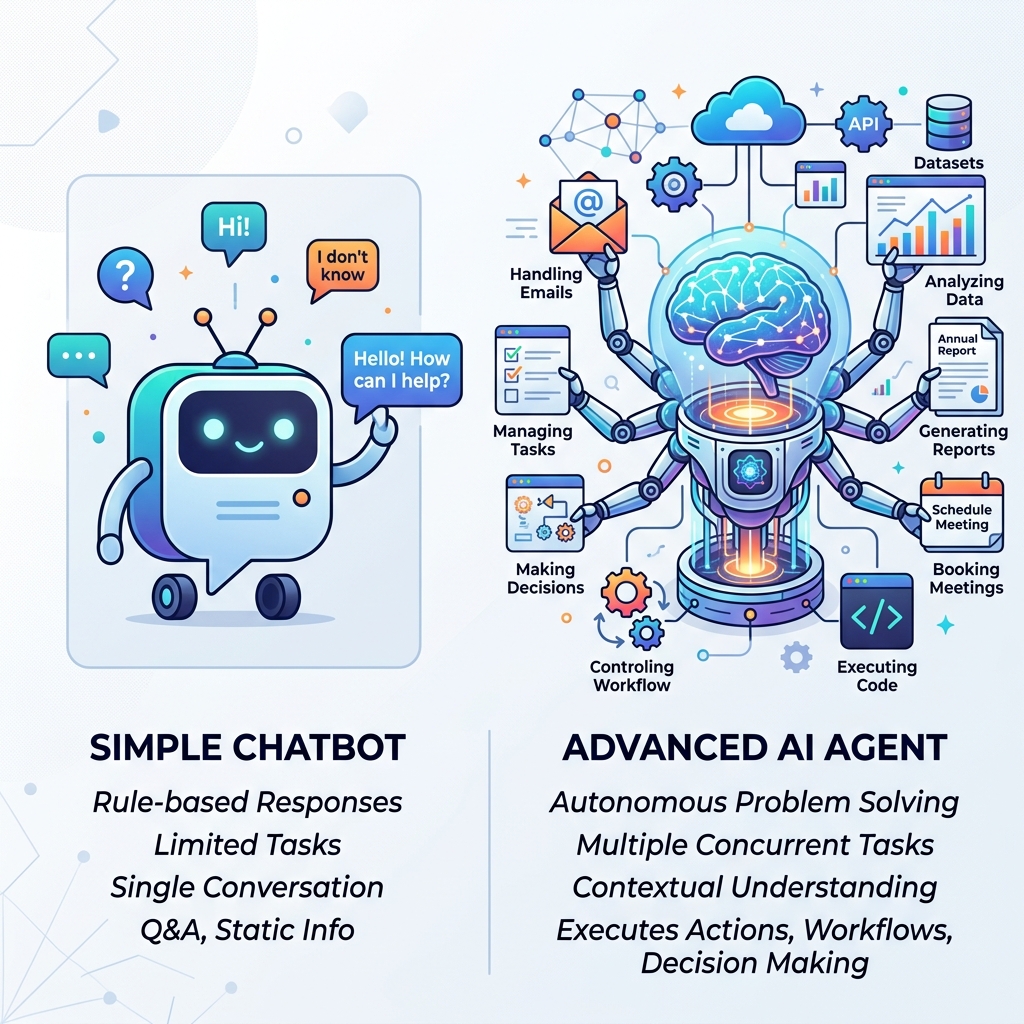
TL;DR — While an AI chatbot is designed to hold linear conversations using predefined scripts, an AI agent is designed to achieve a high-level goal autonomously. Agents can read documents, query databases, make logical decisions, and use software tools without human prompts. If you only need to answer simple FAQs, a chatbot is sufficient; if you want to automate complex business workflows, you need an AI agent.
What is an AI Chatbot? (FAQ & Routing)
Chatbots excel at customer service triage. If a customer visits your website or messages your WhatsApp business channel, a chatbot can:
- Present a menu of options (e.g. “Check order status”, “View business hours”).
- Provide static answers to frequently asked questions.
- Route the chat to a live support representative if the query is too complex.
BSPs like Atharva AI (atharva.app) make setting up these conversational WhatsApp bots easy for local businesses, ensuring instant 24/7 engagement. For API setup and CRM wiring, start with our WhatsApp Business API guide for Indian SMBs.
What is an AI Agent? (Goal-Driven Action)
Unlike a chatbot, which simply returns text, an AI Agent takes actions. It is given an objective, access to tools (APIs, webhooks, databases), and guidelines. It then plans and executes the steps needed to reach that goal.
A great example is Zira (heyzira.com), an autonomous agent built for accounts receivable:
- The Goal: Monitor unpaid invoices and secure payments.
- The Execution: Zira does not just send automated reminders. It emails the client, reads the client’s reply (e.g. “Our manager is out until next Tuesday”), interprets the intent, updates the database, schedules a follow-up for next Wednesday, and checks the banking ledger to verify when the payment clears.
The entire loop happens without a human operator having to read emails or adjust schedules manually.
The Technical Differences
Understanding the architectural differences between these two technologies will save you from deploying the wrong system for your team.
Here is a side-by-side comparison:
| Metric | Traditional AI Chatbot | Modern AI Agent |
|---|---|---|
| Trigger | User starts a conversation | Events, schedules, or database updates |
| Logic Engine | Predefined rules (“If user clicks button X, show text Y”) | Large Language Model (LLM) reasoning and planning |
| Tool Usage | Cannot interact with external business tools | Uses APIs, writes code, edits spreadsheets, updates CRMs |
| Goal Scope | Short-term conversation exchange | Multi-step task execution (“Follow up until invoice paid”) |
| Outcome | Text response only | Real-world action taken (e.g. booked call, updated database) |
Which one does your business need?
Use this checklist to determine the right path for your automation roadmap:
Deploy a Chatbot if:
- You need to answer basic questions (pricing, location, hours).
- You want to pre-qualify leads using a simple, structured form before they speak to a human.
- Your primary target is keeping support ticket volume low.
Deploy an AI Agent if:
- You want to automate complete, multi-step workflows across different software platforms (e.g. sync CRM + dispatch + job scheduling).
- You need a system that can negotiate, follow up, and handle varied human responses autonomously.
- Your business goal is executing operational tasks (like invoicing, lead qualification, or reporting) end-to-end.
Use the Assist-Augment-Replace framework to decide which tasks stay human-in-the-loop before you deploy. For lead qualification over WhatsApp, see our Lead-to-Revenue Playbook.
FAQ
Are AI agents harder to set up than chatbots?
Yes. Because agents interact with external tools and take actions, they require careful boundary setting, custom API connections, and robust error-handling. A poorly configured chatbot just sends a wrong message; a poorly configured agent could write incorrect data to your CRM. We always recommend building agents on robust, self-hosted middleware like n8n to maintain oversight.
How do I know if an agent is reliable?
When we deploy agents, we start them in a “review mode.” The agent runs in the background, plans its actions, and drafts its communications, but pauses for a human manager to review and hit “approve.” Only when the agent achieves consistent high accuracy (in our deployments we target 95%+) do we remove the review gate.
Related reading
- AI Agents for SMBs: What They Actually Do
- The Assist-Augment-Replace Framework
- Zapier vs n8n vs Make
- AI automation for service businesses